Installation Guide
2
Install NXArr Updater
Run the file you just downloaded.
3
Run NXArr Updater
Run NXArr Updater by clicking the icon.
4
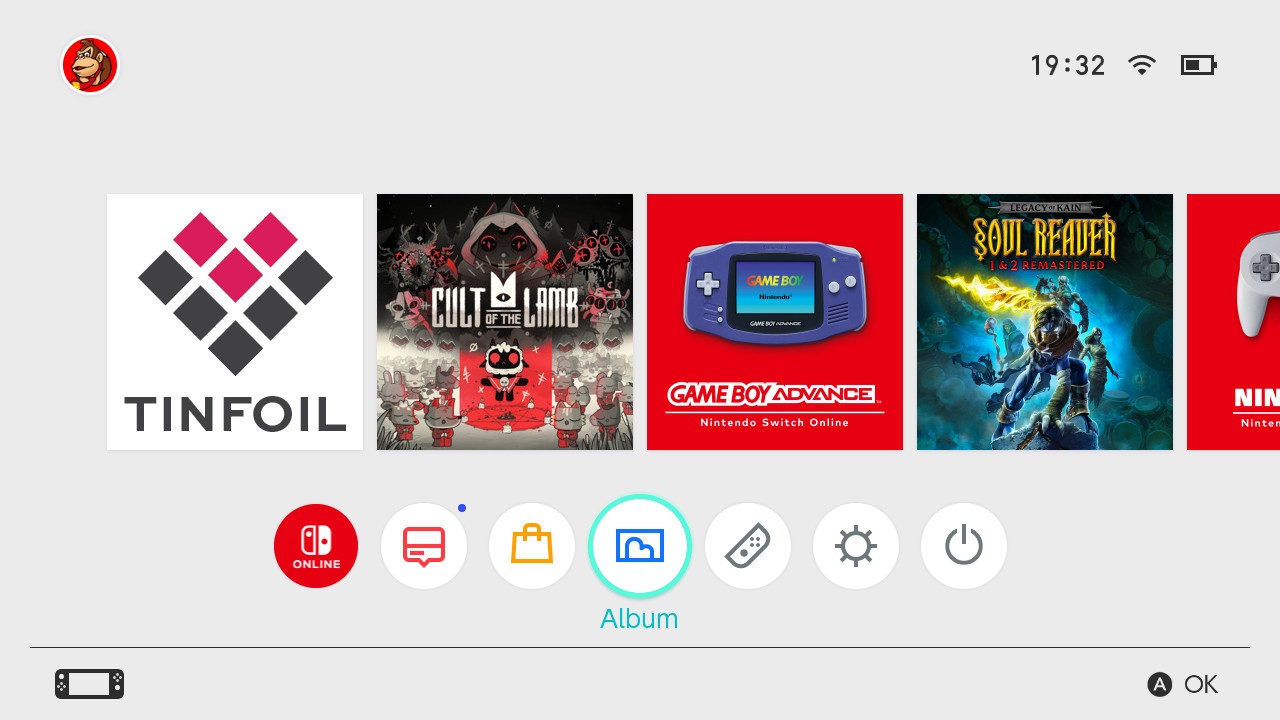
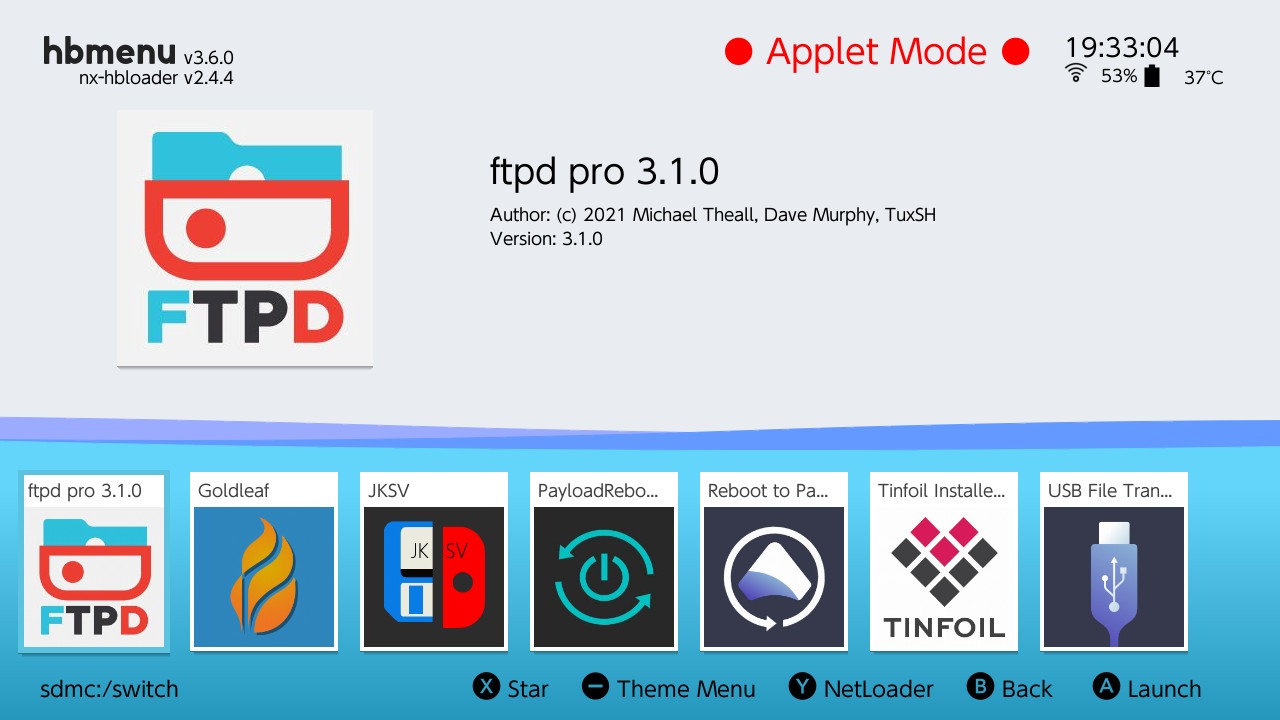
Start ProFTPD
Start ProFTPD by going to the gallery and selecting the ProFTPD application.
5
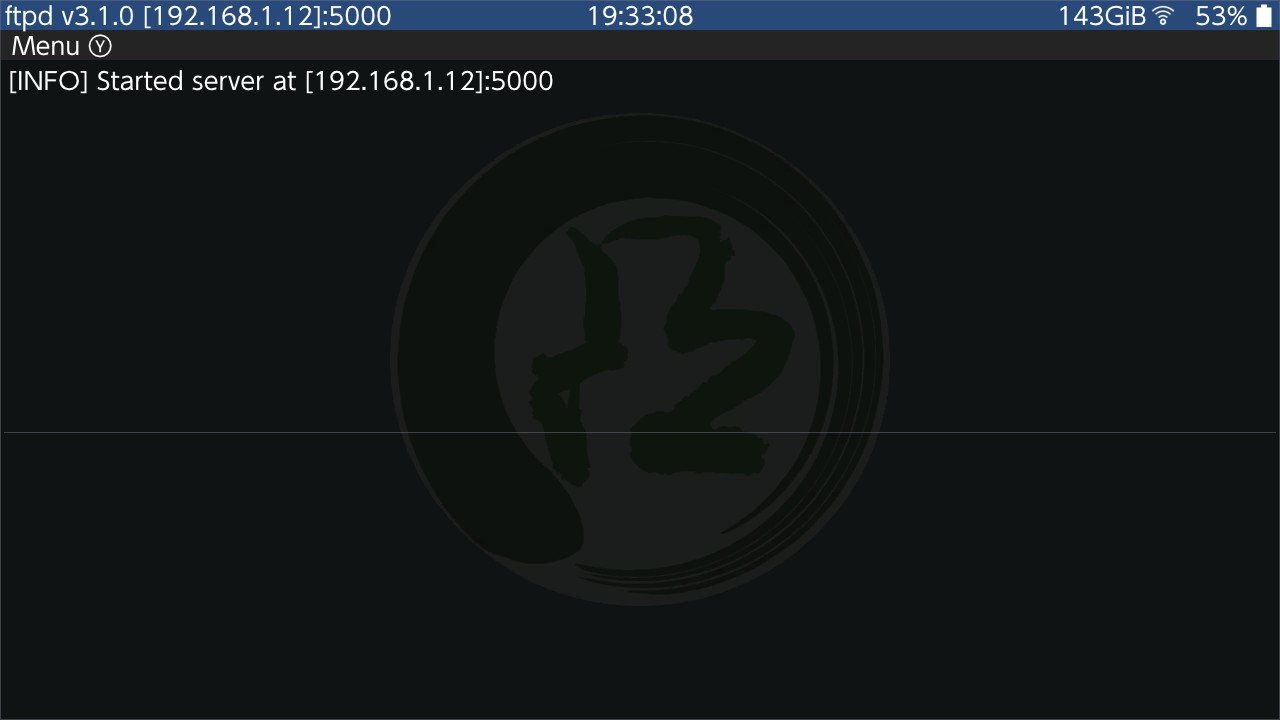
Get the IP Address
The IP Address is displayed in the top left corner of the screen (here: 192.168.1.12).
6
Start NXArr
Start NXArr on your computer by clicking the icon.

7
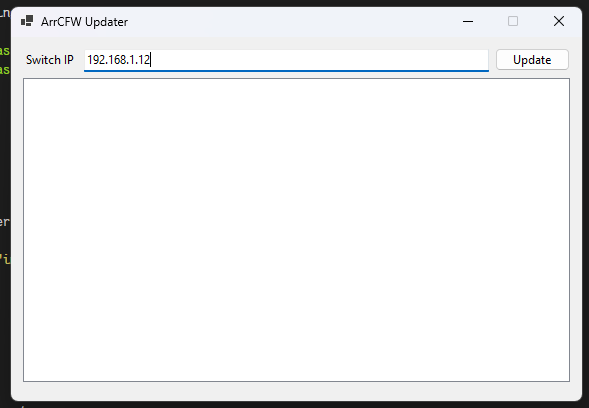
Start update
Start the update by filling in the IP Address and clicking the update button.
8
Finishing update
Wait for the update to finish. This can take a while.
9
Restart your Device
Once updated is ended, restart your device.
10